 Guide 1 - Pomodoro timer
A Pomodoro timer that runs like a 1998 PC
By the Focus98 team · Updated
The Pomodoro method splits work into short, timed rounds with a break after each one. Focus98 runs those rounds on a retro desktop, and every focused minute earns credits for your computer.
Where the method comes from
Francesco Cirillo came up with the Pomodoro Technique as a university student in the late 1980s. He used a tomato-shaped kitchen timer (pomodoro is Italian for tomato) to work in 25-minute intervals with short breaks in between. Each interval is one "pomodoro", and after four of them you take a longer break.
How it works, step by step
- Pick one task. Writing the introduction, not "the essay".
- Set the timer and work only on that until it rings. If something else comes to mind, write it down and get back to the task.
- Take a short break, about 5 minutes. Stand up, look away from screens.
- After four rounds, take a long break of 15 to 30 minutes.
The numbers aren't sacred. Some people do 50 minutes of work and 10 of rest; some start with 15-minute rounds. What matters is starting, staying on one thing, and resting before you're worn out.
Why breaks help
A 2022 review of 22 studies with over 2,300 people found that short breaks of up to 10 minutes made people feel more energetic and less tired. For demanding work, longer breaks did more for performance than very short ones, which is the reason for the long break every few rounds.
How Focus98 does it
- Work Sessions from 15 to 120 minutes, run as several rounds.
- Breaks between rounds: a short break (5 minutes to start) and a long break (15 minutes) every few rounds. You set all three in Settings, Timer, and you can have breaks start by themselves.
- Apps stay out of the way while a round runs: you choose which ones are allowed, allowed for a minute, or blocked.
- A reason to finish: each focused minute pays credits, and the PC on your screen gets faster parts, new programs and, later, a whole new era.
- A daily goal and statistics, so you can see your rounds add up over the week.
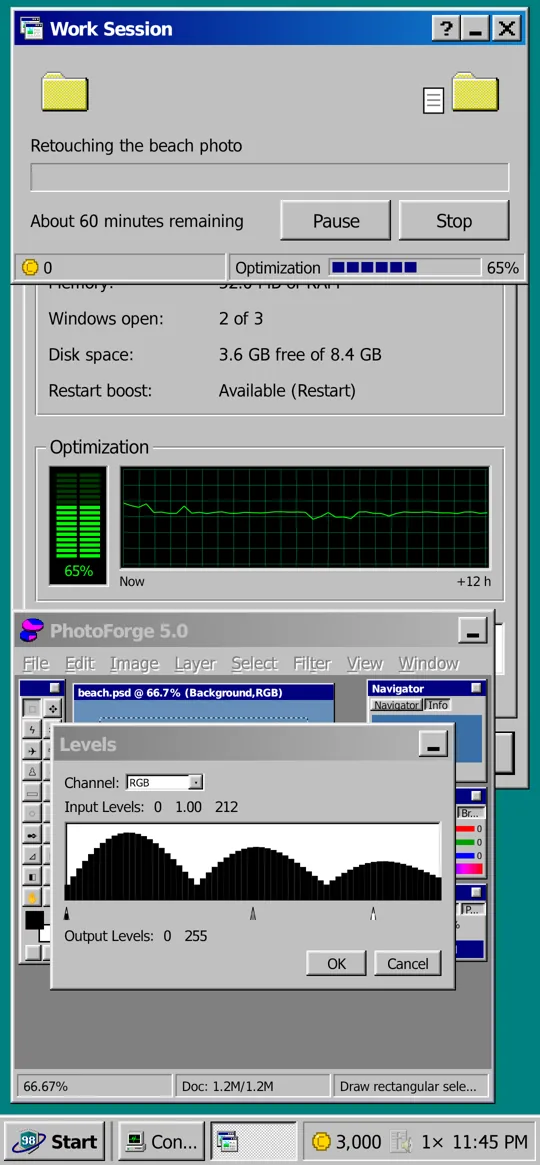
To run Pomodoro rounds in Focus98
- Open Work Session on the desktop.
- Pick a task and a length, and choose how many rounds to split it into.
- Tap Start. Breaks come between rounds, by themselves if you turn that on in Settings.
Tip If 25 minutes feels long, start shorter. Finishing a short round beats abandoning a long one, and you can stretch the rounds as it gets easier.
Questions and answers
Does the Pomodoro technique work?
For many people, yes: short rounds make it easier to start and to keep going, and planned breaks keep you from wearing out. It works best on one clear task at a time.
Does Pomodoro work with ADHD?
Many people with ADHD find short, timed rounds easier than open-ended work, especially with something at stake. Focus98's PC and credits add that stake. It isn't a medical treatment.
Is Focus98 a free Pomodoro app?
Yes. All of the Focus 98 era is free with no ads, including Work Sessions, breaks and app blocking. Plus adds the later eras and a few extras.
Can I change the round and break lengths?
Yes: the session length when you start it, and the short and long breaks in Settings, Timer.
Sources

More guides
- App blocker for Android
- A Forest alternative
- Body doubling with friends
- Study timer
- Digital minimalism
- Defrag, the game
- A 90s desktop on your phone
See also: all features
Guide 1 Pomodoro timerFocus98 User's Guide