User's Guide
Focus like it's 1998.
A focus timer with a computer to look after. Get work done and your PC runs like new. Doomscroll, and it slows to a crawl.
Earn credits for every focused minute, keep your machine in shape, and upgrade it all the way from a beige 1998 desktop to 2010.
Contents
- 1How it works3
- 2The four eras9
- 3Focusing with friends13
- 4Free and Plus17
- 5Getting Focus9819
- AQuestions and answers21
Focus98 User's Guidei
How it works
Focus98 is a computer you keep running by getting work done. Three things happen, over and over:

Focus
Start a Work Session and your PC gets busy too: spreadsheets fill in, letters get typed.

Earn
Every focused minute pays. Wander off into other apps and your PC takes the hit.

Upgrade
Spend credits on parts, programs and music, then save up for the next era.
To start your first Work Session
- On the desktop, open Work Session.
- Pick a task, or just a length: 30, 60, 90 or 120 minutes.
- Tap Start, and then put the phone down.
Your phone, minus the rabbit holes
Pick which apps are fine, fine for a minute, or off-limits while you work. Open a blocked one and Focus98 steps in before the scrolling starts.
Note Pausing is always on you, and never counts against you. Hit Pause first if something comes up.

Look after it, and it looks after you
Disk Check and Defrag bring a tired PC back up to speed, but only while you stay with them. Even the upkeep is focus time.
Tip A PC left at full speed earns more for every minute you focus.

Shopping, the mail-order way
Processors, sound cards, CD writers, screen savers, albums. Parts show up a few hours later, and once you're online, programs download.

Plan it, then watch the hours add up
Tasks, a daily goal, statistics and an activity log show where your time went, day after day.

Chapter 1 How it works3
The four eras
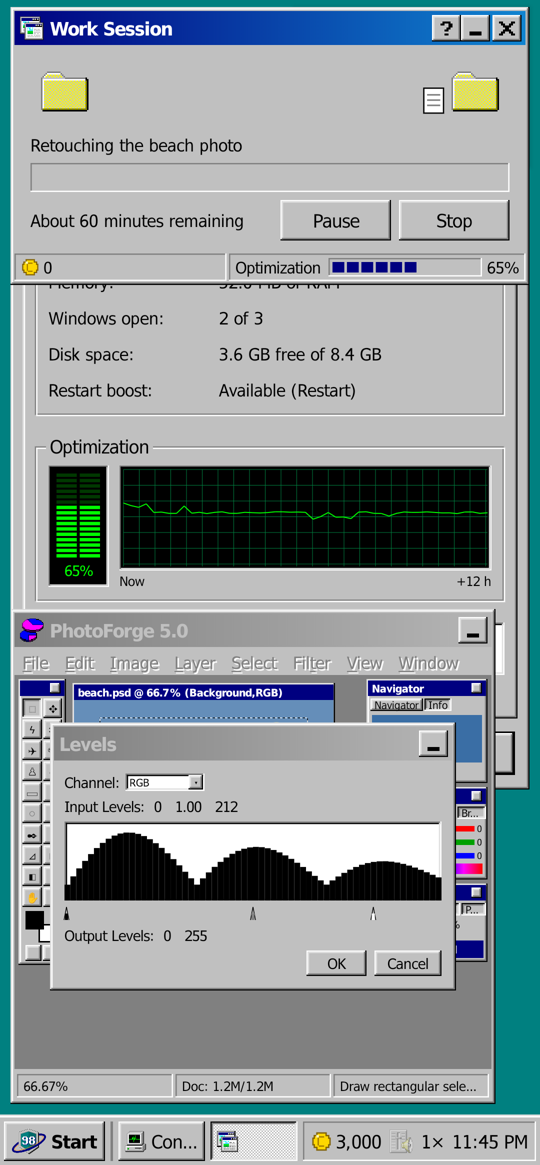
One computer, twelve years of upgrades. Each new FocusOS changes everything: the look, the sounds, the programs and the shop.
 Focus 98
Beige boxes, a teal desktop and a dial-up modem.
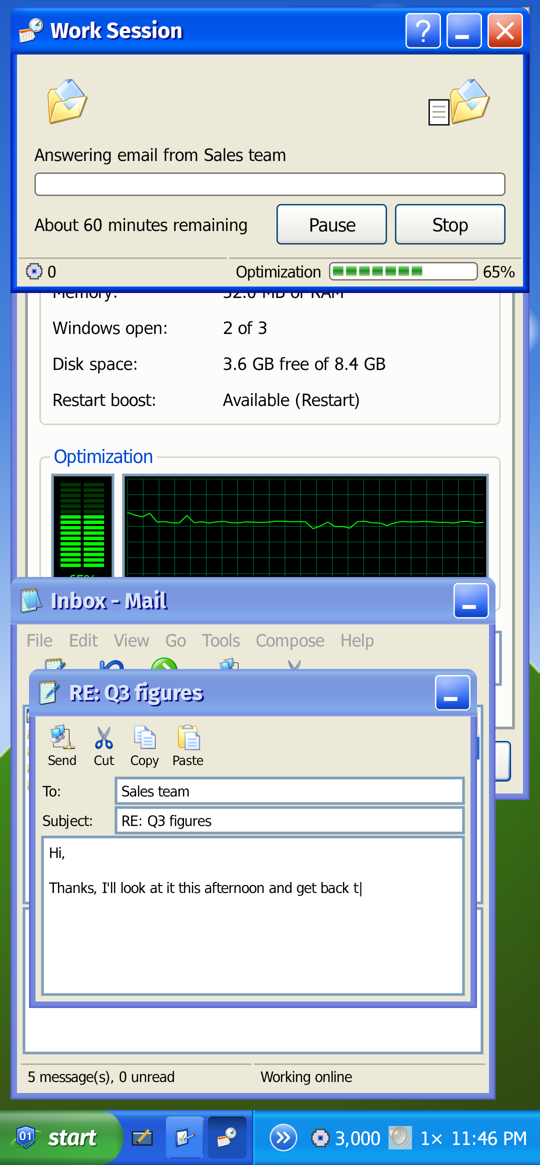
 Bluebird 2001
Broadband arrives, and so does a CD writer.
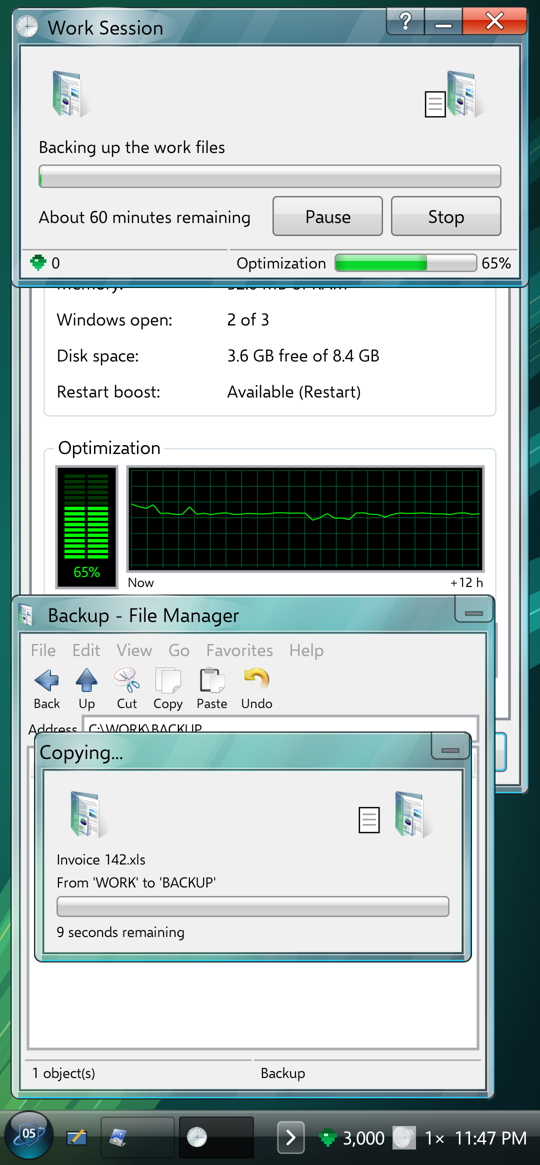
 Chroma 2005
Glass windows, Wi-Fi, and the first viruses.
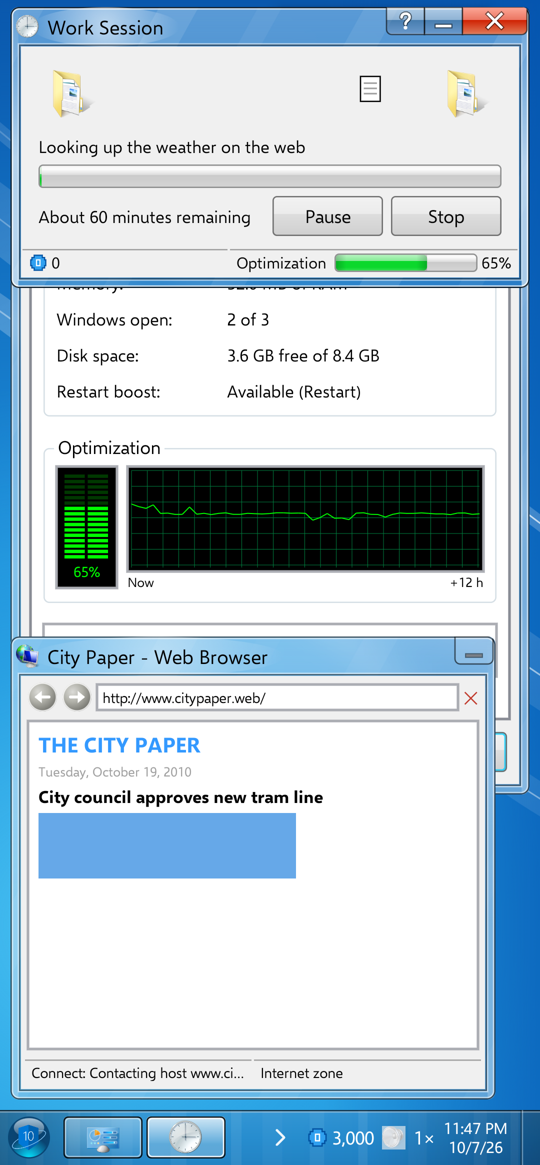
 Dawn 2010
A new taskbar, fiber and a solid-state drive.
Note Each era comes with its own WelcomeOS Wizard, a short tour of what's new.
Chapter 2 The four eras9
Focusing with friends
Better together. Add friends in FocusChat and start a Focus Group: everyone works through the same session, and each friend who sticks with it adds 25% to everyone's pay.
Then see who's ahead on the leaderboard, among friends or worldwide.
To add a friend
- Open FocusChat and choose your screen name. You pick it once, for good.
- Add your friend by their screen name or e-mail address.
Note Need to step away? Your pause is yours alone, and the group carries on.

Chapter 3 Focusing with friends13
Free and Plus
Free to play. Plus to go further.
Free
$0
- The whole Focus 98 era
- Work Sessions, Disk Check and Defrag
- App blocking, tasks and statistics
- The Shop and every 1998 upgrade
- FocusChat and Focus Groups
- Free WavePlay tracks and soundscapes
Plus
$24.99 once
or $7.99 a year
- Everything in Free
- Bluebird 2001, Chroma 2005 and Dawn 2010
- Music albums and WavePlay skin packs
- Your whole statistics history
Note Plus stays with your account on every phone you sign in to. If a yearly plan ends, everything you bought with credits is still yours.
Chapter 4 Free and Plus17
Getting Focus98
Coming soon to Google Play
Jump straight in, no account needed. Sign up whenever you like to keep your progress on any phone.
To get Focus98 the day it launches
Note To block apps, Focus98 asks to see which app is open and to show its block screen over other apps. Nothing leaves your phone except your save, and only if you sign in.
Chapter 5 Getting Focus9819
Questions and answers
Is it really free?
Yes. The whole Focus 98 era is free, with no ads. Plus unlocks the later eras and a few extras.
Does it actually block apps?
It does. While a session or a repair runs, blocked apps get a block screen. You set the rules, separately for Work Sessions and for Disk Check and Defrag.
What if I have to leave the app?
A Work Session gives you a few minutes to come back, with a countdown so you know how long. Disk Check and Defrag pause right away. Hit Pause first and nothing counts against you.
Do I need an account?
No. Sign up only to keep your progress online or to use FocusChat and Focus Groups.
I forgot my password.
In the app, go to Settings, Account, Sign In, then "Forgot your password?". We'll e-mail you a code.
How do I delete my account?
In the app: Settings, Account, Delete Account. Or use the delete account page.
Found a bug?
Tell us from the app with Start, Report a Problem. It comes straight to us.
Appendix A Questions and answers21
 How it works
 Four eras
 Focus Groups
 Questions
 Get Focus98