 Feature 4 - FocusChat messenger
FocusChat: an early-2000s messenger, with a leaderboard
By the Focus98 team · Updated
Screen names, a buddy list, a status message saying you're busy. FocusChat brings back the messenger of the early 2000s, and adds a leaderboard for focus time.
Your screen name
The first time you open FocusChat you pick a screen name. It's what your friends and the leaderboard see, and friends can add you by it. It's yours for good, so choose carefully; names that are offensive or already taken (even in a different spelling) aren't allowed.
Friends and messages
- Add a friend by their screen name or e-mail address. If they're not on Focus98 yet, invite them: once they sign up with that address, you're friends.
- Set your status (Available, Busy, Be Right Back or Invisible) and a short status message, like "Deep work till 5".
- Send messages to friends who are online.
- Invite friends into a Focus Group straight from the chat.
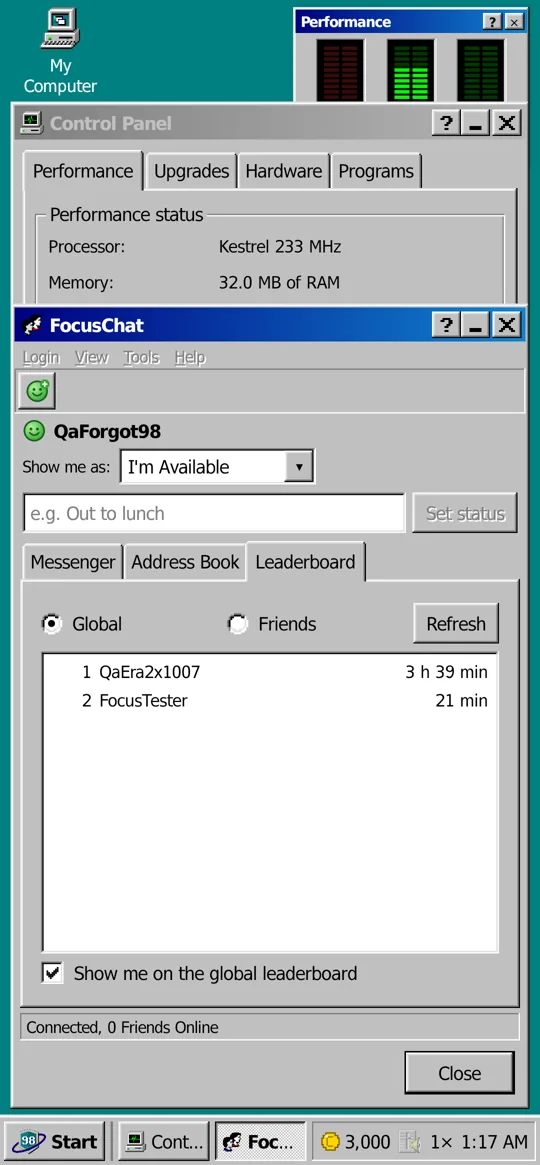
The leaderboard
The Leaderboard tab ranks focus time, among your friends or across everyone using Focus98. You can leave the global board at any time, and still compare with friends.
How to get it
FocusChat is free in the shop. It needs a modem, because it's online, and a Focus98 account, so your friends can find you.
Questions and answers
Is FocusChat free?
Yes. It's free in the shop; it needs a modem and an account.
Can I change my screen name?
No. You choose it once, the first time you open FocusChat.
Who can see my focus time?
Your friends, always, on the friends leaderboard. Everyone else only if you stay on the global leaderboard, which you can leave.

More features
- A retro PC to build up
- Crashes, viruses and repairs
- The old internet
- Focus music and soundscapes
- Tasks, streaks and stats
- Wallpapers and screensavers
See also: all guides
Feature 4 FocusChat messengerFocus98 User's Guide